
Roomvo Alternatives in 2026: Roomvo vs Tilesview vs RoomDreaming (and Two Taiwan Platforms)
By Curtis (RoomDreaming Editor)
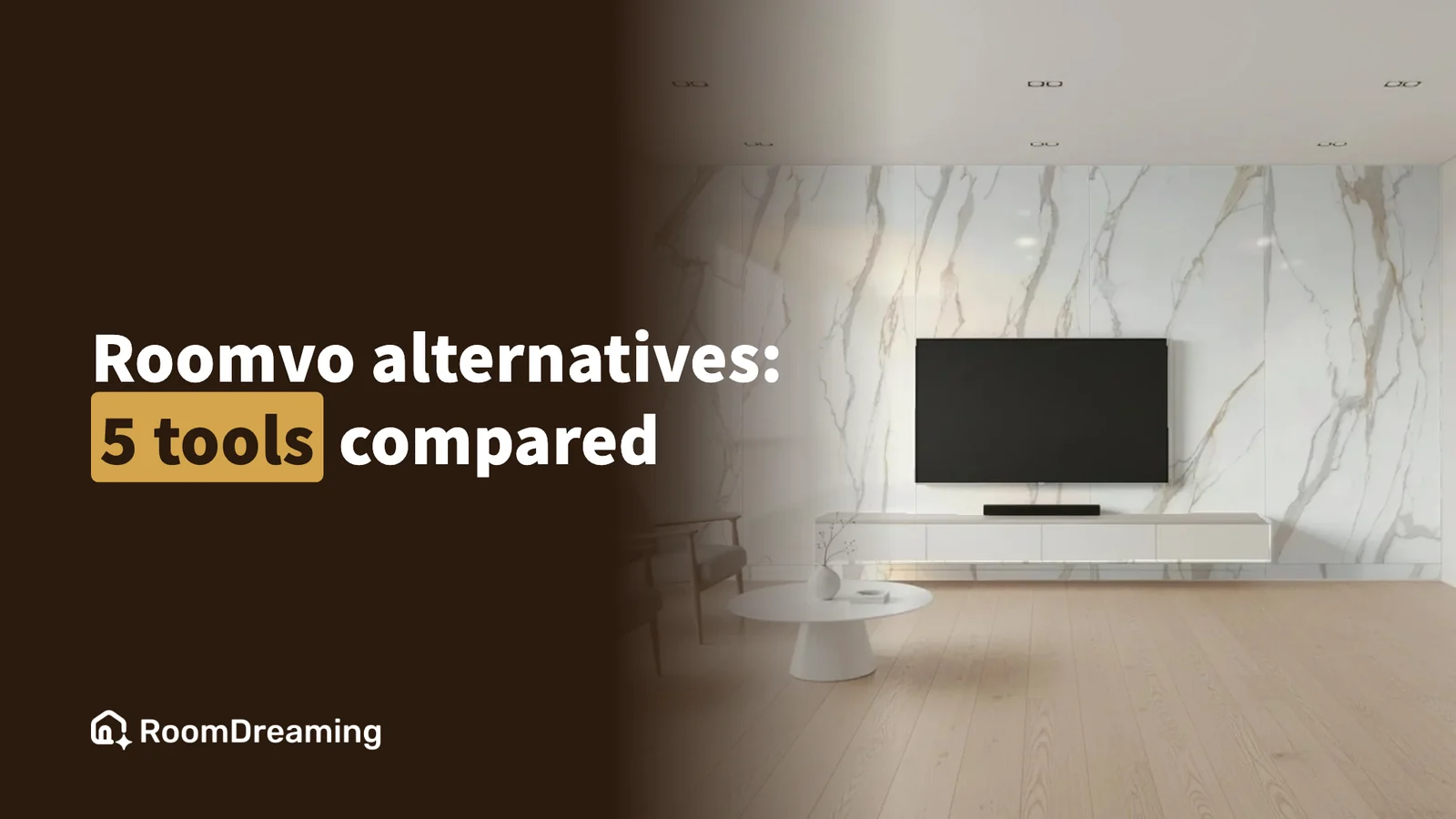
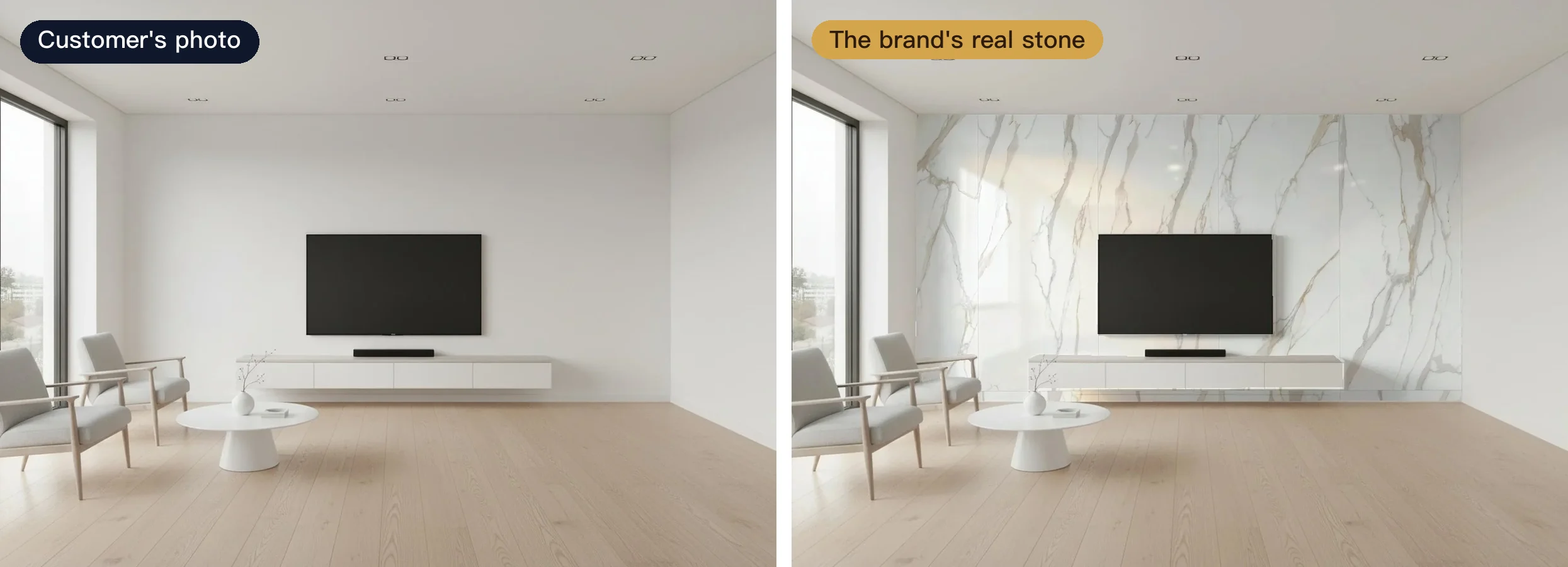
There are two kinds of material visualization tools. A marketplace is like a department store: it puts many brands together and helps you get found. A brand visualizer is like your own showroom: only your products, shown on the customer's own room photo. If you are looking for a Roomvo alternative, start by asking which of those two jobs you need done.
This guide covers the five names building-material brands compare most often: Roomvo and Tilesview internationally, howroom and 樂居空間選材 in Taiwan, and RoomDreaming. Each one is right for someone. Here is who, where each is strong, and what to watch out for.
Marketplace or brand visualizer: what's the difference?
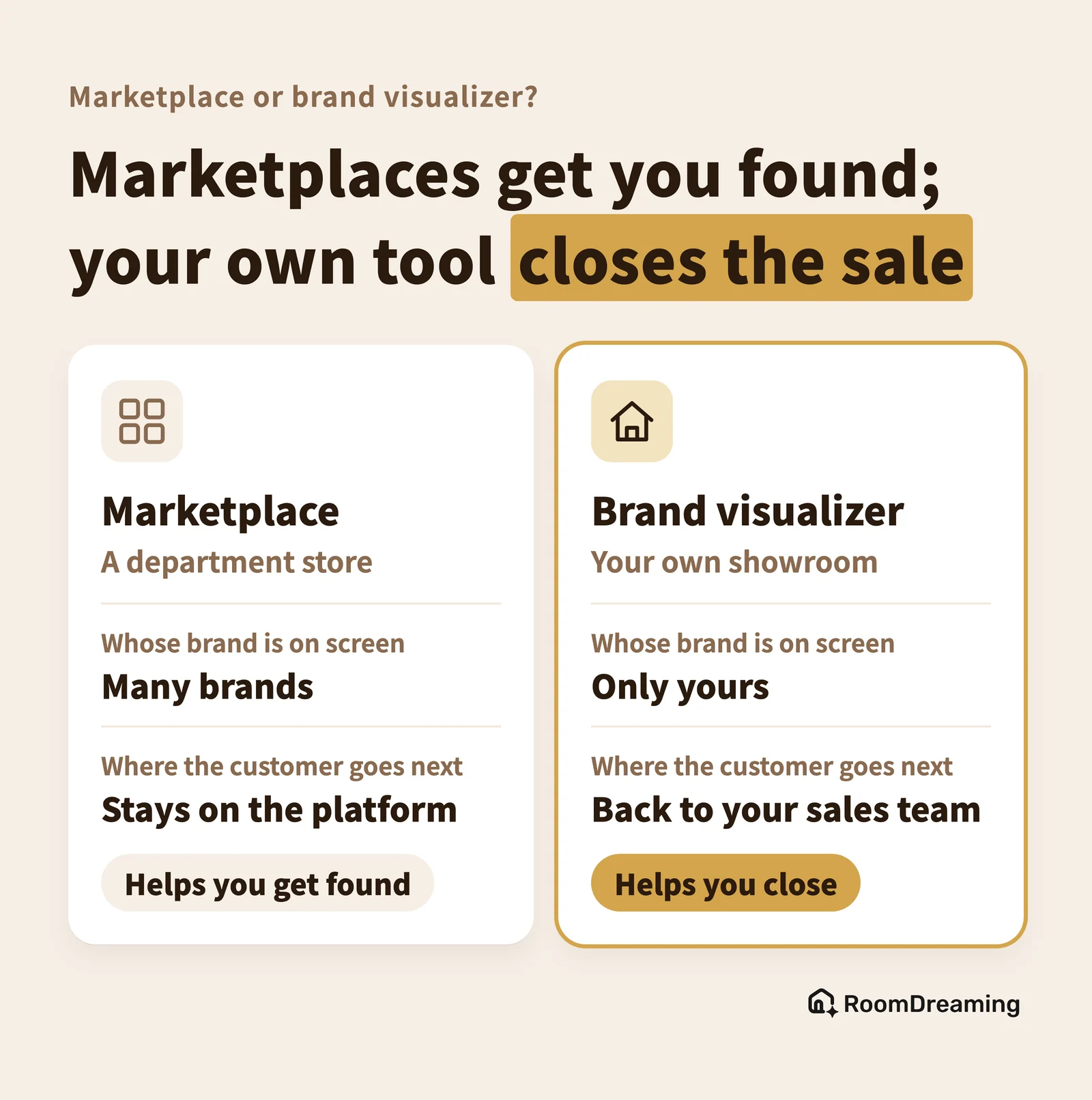
Two questions separate them: whose brand is on the screen, and who the customer contacts afterwards.
- Marketplace (the department store): many brands, and the platform is the star. Designers and homeowners search, compare and save. You get exposure.
- Brand visualizer (your own showroom): only your brand. The customer is already on your website, in your showroom, or holding a link from your rep. The tool's job is to show them your exact product in their room, then hand them back to your sales team.
One helps you get seen early in the decision; the other helps you close it. Plenty of brands use both.
Roomvo and Tilesview: who are they for?
Both are brand visualizers with their main markets outside Taiwan.
Roomvo is the best-known room visualizer in North America and Europe, covering flooring, tile, paint, wallpaper, rugs and countertops. It says it works with more than 7,000 retailers, and manufacturers can place their products on those retailers' websites; retailers also get a free plan. Best for: brands with a large North American or European dealer and retail network. Watch out for: no public pricing for manufacturers, and its interface and case studies are aimed at English-speaking markets.
Tilesview started with tile and expanded to flooring, countertops and wallpaper. Its site runs in more than twenty languages, and many customers are in India, the Middle East and Southeast Asia. It is one of the few tools that publishes its pricing and offers a 14-day free trial, with plans tiered by product count. Best for: tile manufacturers and dealers who want to try it themselves and have simple needs. Watch out for: product counts and daily usage depend on the plan, and features such as inquiries and white labeling sit in the higher tiers.
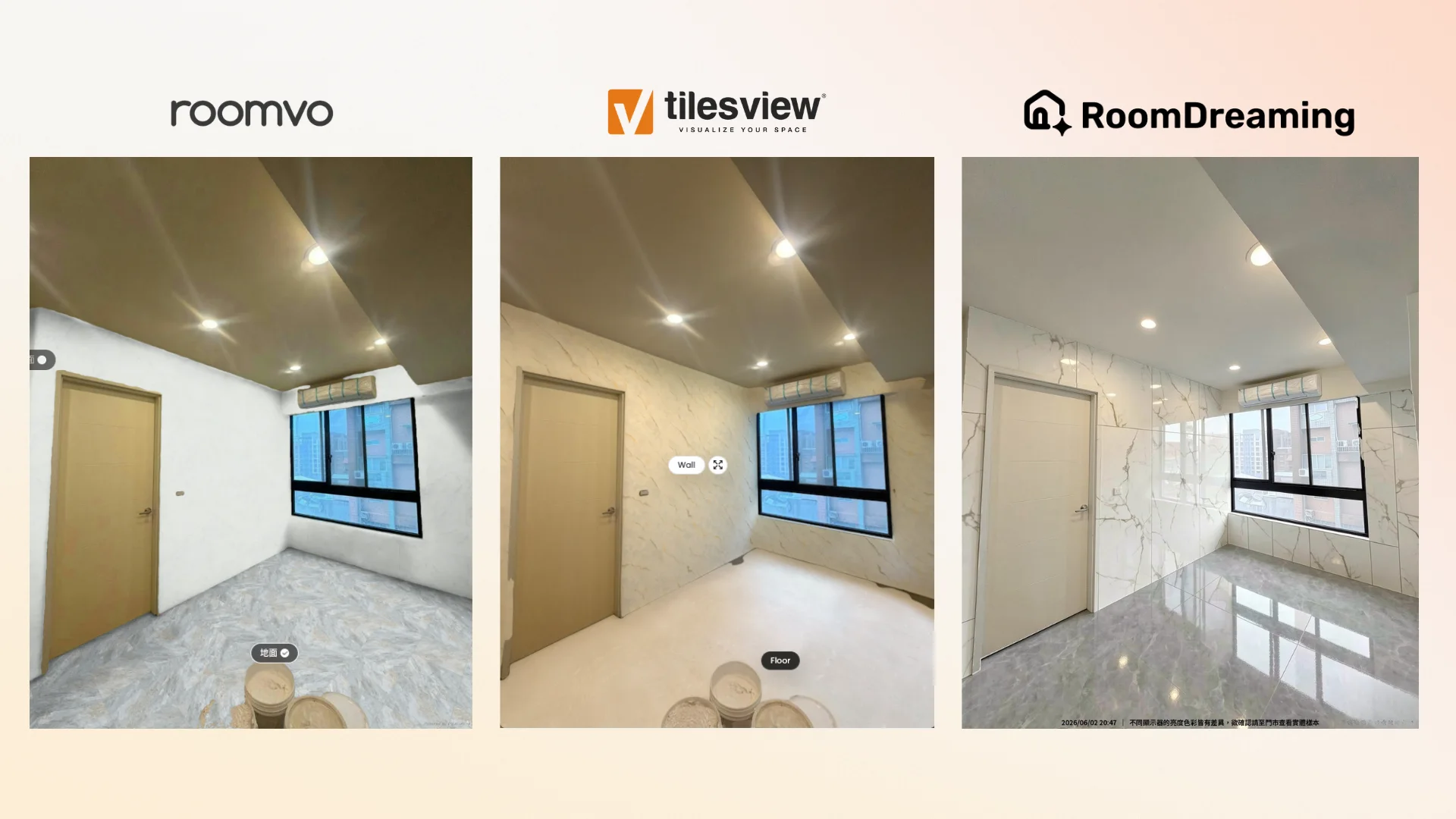
Here is the same room and the same tile in all three tools. Roomvo and Tilesview swap the color and pattern correctly, but show less gloss reflection and room lighting — closer to a flat overlay.
Why does it matter whether it looks real?
When customers choose tile, stone or paint, they're really choosing a finish: will the gloss be too reflective, does the stone look deep enough, what does the pearl effect look like under the lights?
A flat overlay swaps the color and pattern, but the result looks flat. Customers still can't decide, so they go back to the showroom for samples anyway.
AI photorealistic rendering brings in the product's reflections, texture and the room's light, so the result is close to how the product will actually look once it's laid or painted. Customers can judge "is this the one?" in a photo of their own home, and the showroom visit becomes a final check. For brands that sell on finish, that's the difference between "just looking" and "I'll take this one."
howroom and 樂居空間選材: Taiwan's marketplaces
These two are Taiwanese material platforms — the department-store model. They matter if you sell in Taiwan.
howroom (howroom.ai) is a home-renovation resource platform listing materials, tradespeople and designers, free to browse. Its public visualizer uses built-in room scenes and does not accept uploads; its brand edition gives a brand its own URL, accepts customer photos, and can be embedded on the brand's website. Best for: reaching homeowners who browse many brands at once, or a simple embedded visualizer.
樂居空間選材 (largehomeai.com) is an all-in-one platform for interior designers: a database of over 3,000 materials, a SketchUp plugin that draws with real products and exports a quote list, project management, and a physical material library in Taipei. Best for: brands that want designers to specify them in drawings. It does not offer photo-upload visualization on its website.
Who is RoomDreaming for?
RoomDreaming is a brand visualizer: your brand on every screen, and customers only see your catalog. It carries 8,000+ building materials across art paint, wood flooring, tile and more, all from real product data supplied by the brands.
- Finish you can see: AI photorealistic rendering shows gloss, matte and the room's light; tile is laid at its real size, and large-format slabs support vein matching (sequential layout).
- Art paint, too: at onboarding the physical sample board is scanned and calibrated to the real color reference, so pearl and metallic effects come through.
- One catalog everywhere: embedded on your website, in reps' links and on showroom QR codes. When a customer requests a quote, the nearest store is suggested and notified on LINE, Taiwan's default messaging app.
In Taiwan, art-paint and mineral-paint brands such as LUXUS PAINT, San Marco, KEIM and Atarashi, along with the wood-flooring company Crown Tai, already use RoomDreaming on their websites or in their showrooms. What they sell is finish — the paint's application technique and sheen, the wood's grain and tone — which is exactly why the result has to look real before a customer will commit. Click a brand name to open its visualizer and try it on a photo of your own room.
Best for: premium tile, stone, wood-flooring and art-paint brands that care whether it looks real, selling in Taiwan. Watch out for: it is centered on Taiwan with a Traditional Chinese interface; there is no public pricing (book a demo); and onboarding needs your product data — art paint takes more than a month because every sample board is scanned.
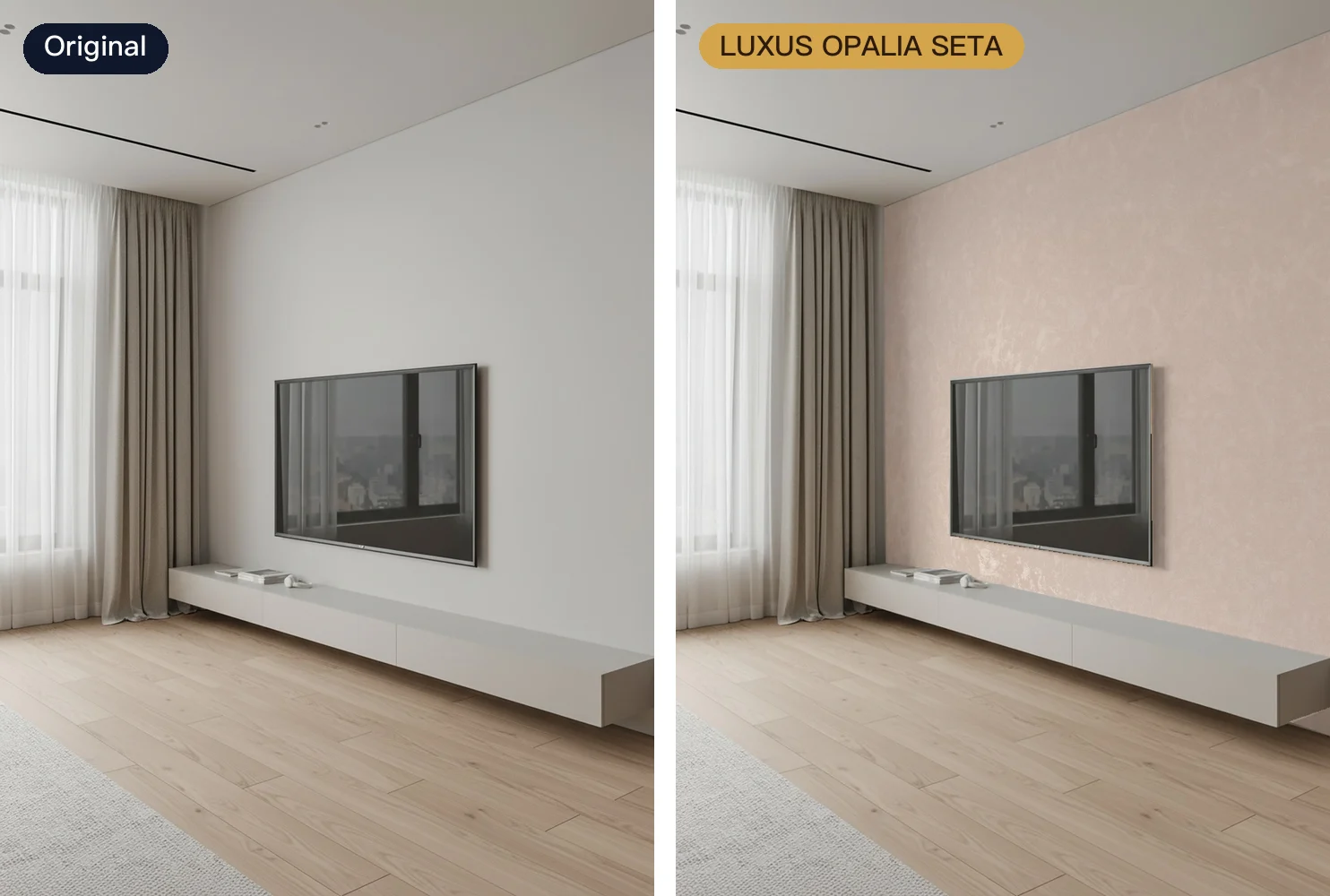
On the right is OPALIA SETA from LUXUS PAINT, in a soft pink with a pearl finish — the kind of sheen a flat overlay can't show.
So which one should you choose?
| Tool | Type and main market | Best for |
|---|---|---|
| Roomvo | Brand visualizer; North America, Europe | Large brands with big retail networks |
| Tilesview | Brand visualizer; India, Middle East, SE Asia | Tile vendors who want a free trial first |
| howroom | Taiwan renovation marketplace | Reaching homeowners; simple embed |
| 樂居空間選材 | Taiwan designer material platform | Getting specified by designers |
| RoomDreaming | Brand visualizer; Taiwan | Premium brands that sell on texture |
Features and pricing change often, so check each vendor's website for the latest. Before you decide, run through our checklist for website visualizer tools.
FAQ
What is a good Roomvo alternative?
It depends on your market. Tilesview publishes its pricing and offers a 14-day free trial, which suits tile vendors who want to test on their own. RoomDreaming suits premium tile, stone, wood-flooring and art-paint brands — especially in Taiwan — that need AI photorealistic rendering of finish and light.
What is the difference between a material marketplace and a brand visualizer?
A marketplace is like a department store: many brands side by side, helping you get discovered. A brand visualizer is like your own showroom: only your products, shown on the customer's own room photo, with the customer coming back to your sales team afterwards. Many brands use both.
Can customers upload their own room photo in every visualizer?
Not always. Roomvo, Tilesview and RoomDreaming all accept uploads. In Taiwan, howroom's public visualizer uses built-in rooms only, while its brand edition accepts uploads; 樂居空間選材 focuses on a material database and a SketchUp plugin rather than photo visualization.
See your products in a customer's room
Book a RoomDreaming demo, or take a look at the tile visualizer and art-paint visualizer.
Try it on a photo of your own room
Upload a photo and swap in real products to see them in your space. No download, no sign-up.