
Should Your Building-Material Website Have a Visualizer? A 10-Point Checklist for Brands
By Curtis (RoomDreaming Editor)
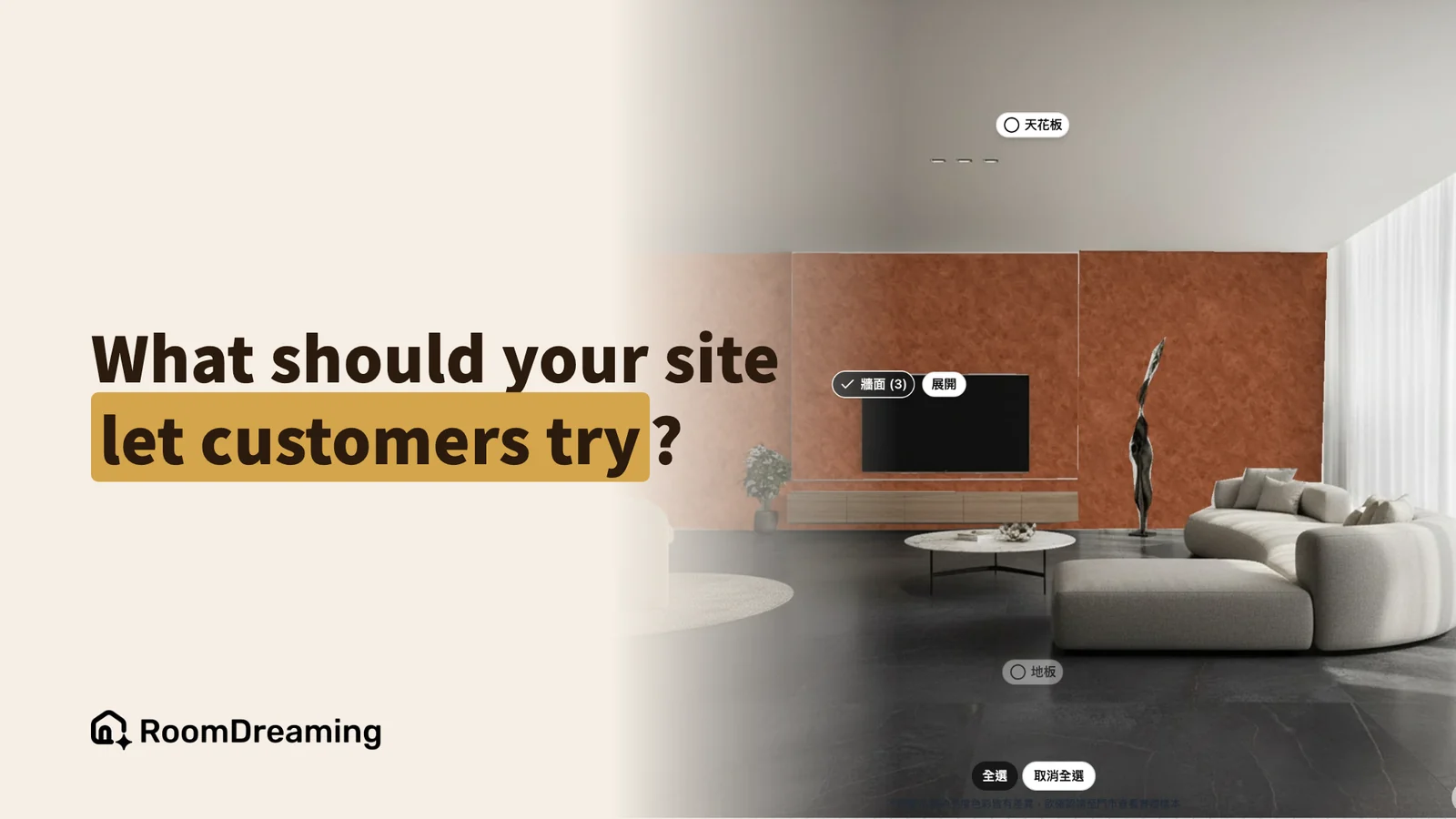
The most useful interactive tool on a building-material brand's website is a room visualizer: customers upload a photo of their own room, see your product in it, and can reach your sales team right away. When you evaluate one, five things come first: correct scale, a convincing finish, working straight from a phone, where the customer goes afterwards, and who maintains the product data.
Your customers are already looking for these tools. Type "tile visualizer", "paint visualizer" or "flooring visualizer" into Google and the suggestions keep coming — often with a brand name in front. In Taiwan, where we work, searches like "brand name + paint simulator" are common too. If your website doesn't have one, customers find an answer on a marketplace or in ChatGPT instead.
And they are almost all on their phones. So the first bar is simple: it opens on a phone and works, with no app download and no sign-up.
Which interactive tool belongs on your website?
There are four common types:
- Digital catalog: browse products and check specs.
- Virtual or 3D showroom: walk through spaces your brand has styled.
- Color picker: change colors on a sample image to compare directions.
- Room visualizer: upload your own room photo and put one product in it.
The first three show "what the brand prepared". Only a room visualizer shows "my home" — and that is when a customer is closest to deciding. For a fuller definition, see what an AI material selection system is.
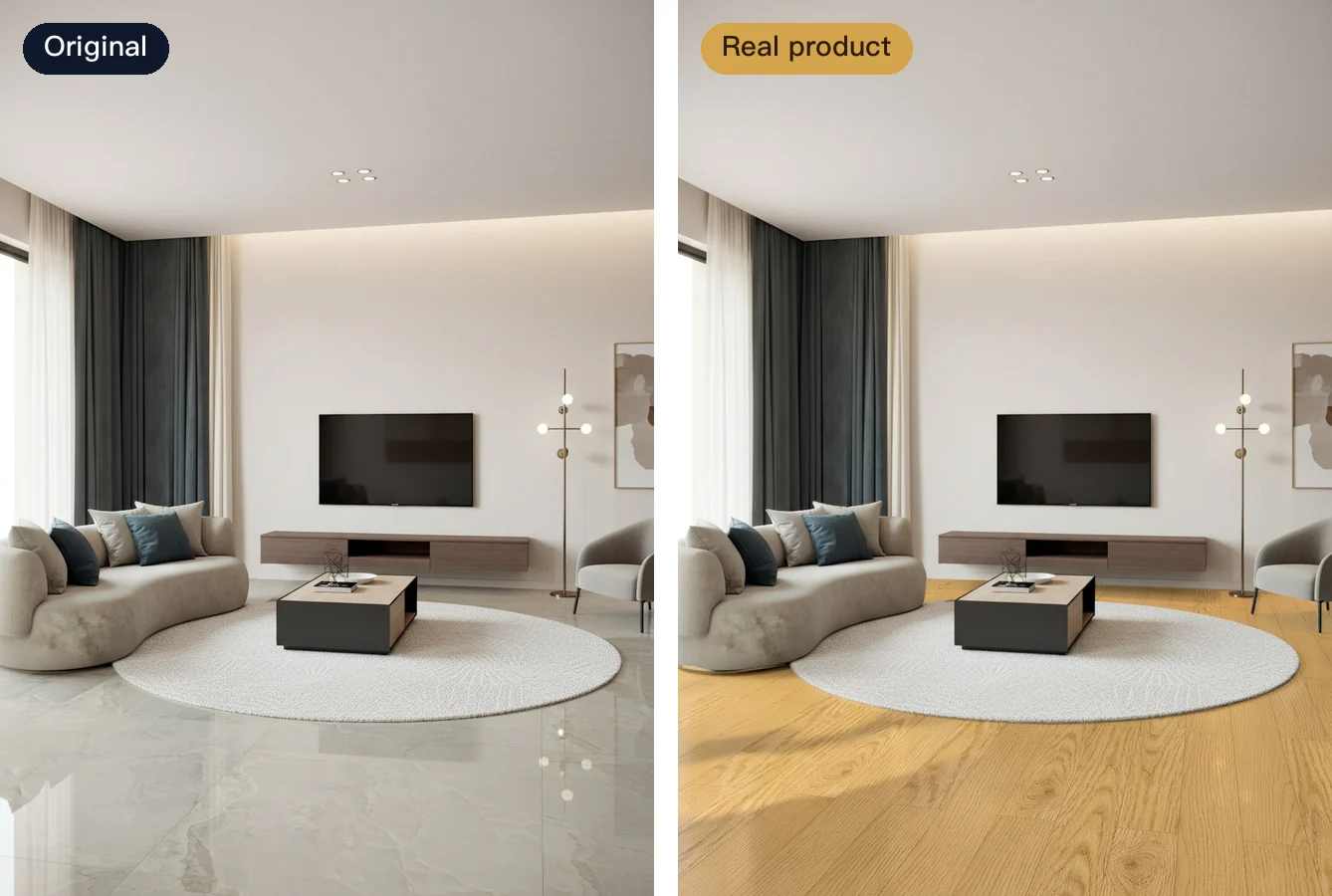
The floor on the right is a real engineered wood product from the catalog of Crown Tai, a Taiwanese flooring brand.
Does it look right, and is it easy to use? Ask these 5 first
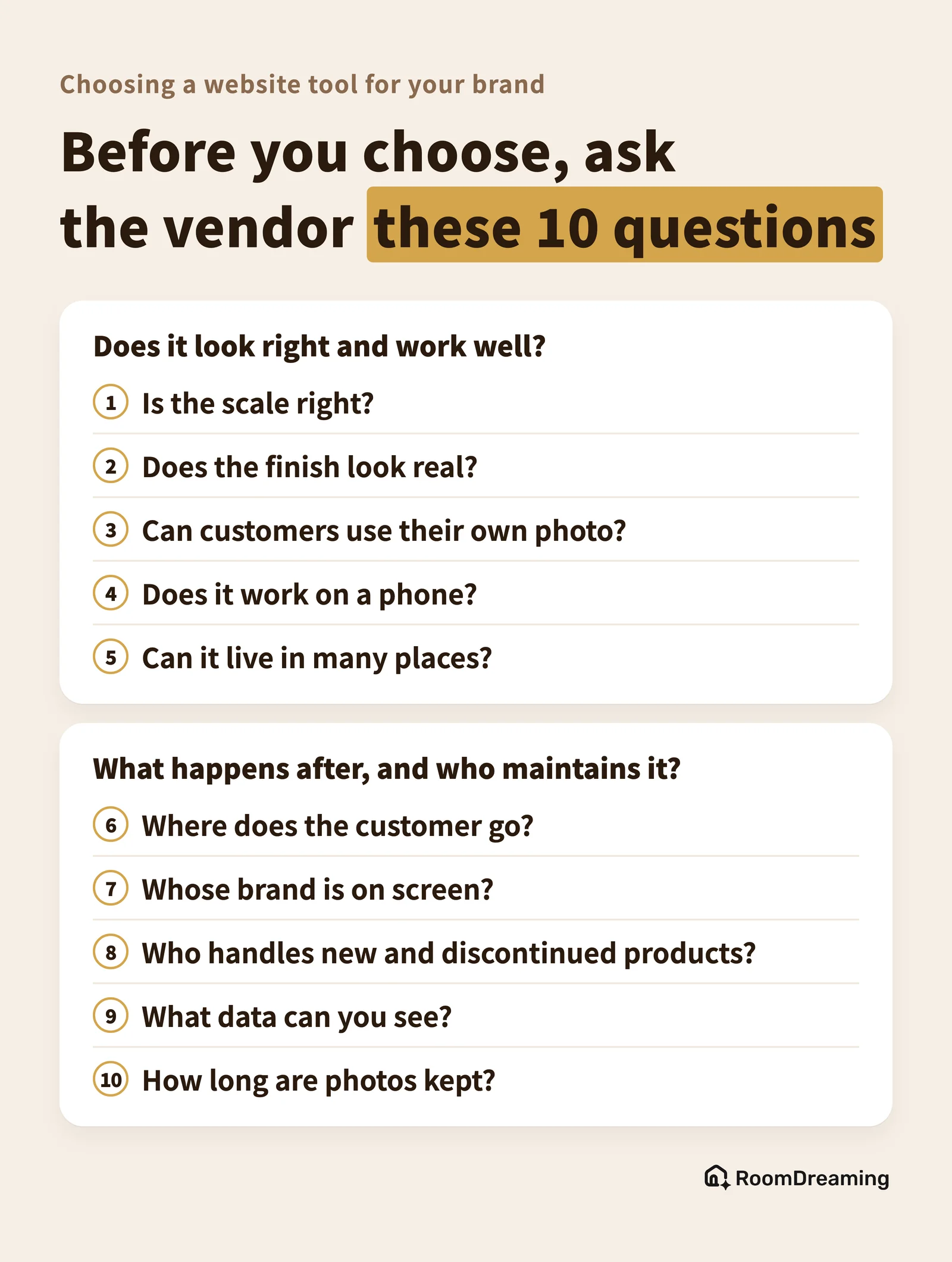
- Is the scale right? Is each product laid at its real size, or is one image stretched across the wall? Wrong scale leads customers to pick the wrong size.
- Does the finish look real? Can you tell gloss, matte, pearl and metallic apart? Is the color matched to the real color reference? Premium materials are sold on exactly these details.
- Can customers use their own photo? Built-in rooms are fine for browsing, but a real decision happens on the customer's own room — and designers want to use their renderings.
- Does it work on a phone? Ask people to download an app or create an account and most will leave.
- Can it live in many places? Your website is one entry point. Reps' links and QR codes in the showroom and the printed catalog should open the same catalog.
What happens afterwards, and who maintains it? Ask these 5 next
- Where does the customer go? To an inbox nobody reads, or straight to the store or rep who covers their area? This decides whether it's a display piece or a sales tool.
- Whose brand is on screen? On your website, customers should see only your brand and products — not be sent to look at someone else's.
- Who handles new and discontinued products? How fast can new products go live, and who removes discontinued ones? An out-of-date tool hurts trust more than no tool.
- What data can you see? Which products get viewed most and where visitors come from tell you what to promote.
- How long are photos kept? Customers upload photos of their homes. The vendor should say clearly where they are stored and for how long, so you can answer your customers.
Here they are on one card, ready to take into a vendor meeting:
The same 10 questions help compare your options:
| Option | Upside | Watch out for |
|---|---|---|
| Build it yourself | Full control | Highest cost; you need a tech team long-term |
| List on a marketplace | More exposure, low cost | The platform's brand comes first; customers return to the platform |
| Brand visualizer | Your brand; customers come back to your sales team | Subscription; you prepare product data |
For who each tool on the market is right for, see our Roomvo alternatives comparison.
What do you need to prepare, and how long until it's live?
A visualizer can only be as accurate as the product data you give it. For tile and stone, prepare:
- Sizes: the real dimensions of every product, so the scale is right.
- Pattern images or face variations: one clear image for each face the product ships with.
- How it ships: random shipping / mixed faces, or numbered for vein matching (sequential layout).
- Recommended layouts: straight, offset, herringbone and so on — and which one you recommend.
- Grout: the recommended joint width and the grout colors usually paired with it.
- Finish: gloss, matte or anti-slip, clearly marked for each product.
Art paint is different: you prepare physical sample boards, one for each color and each application technique.
On timing, wood flooring can go live within a month. Art paint takes longer than a month, because every sample board is high-resolution scanned and color-calibrated to the real color reference — that is what makes pearl and metallic effects look right on screen.
How RoomDreaming answers the 10 questions: products are laid at real size with AI photorealistic rendering of the finish; customers use their own photo or a designer's rendering, straight from a phone; it embeds on your website and works in reps' links and QR codes; quote requests suggest the nearest store and notify it on LINE (Taiwan's default messaging app); only your brand appears, and discontinued products can be removed at any time; your dashboard shows top products, traffic sources and quote trends; and uploaded photos are kept for one week by default. It carries 8,000+ building materials across art paint, wood flooring, tile and more, all from real product data supplied by brands. Decorative paint brands LUXUS PAINT, San Marco, Atarashi and KEIM already run it on their own websites — click through to see it in action.
FAQ
Does a building-material brand's website need a visualizer?
If your customers search for tile, paint or flooring visualizers and your website doesn't have one, they will find an answer on a marketplace or a general AI tool instead. A visualizer lets them see your product, on your website, in their own room.
What is the difference between a virtual showroom and a room visualizer?
A virtual showroom lets customers walk through spaces your brand has already styled. A room visualizer lets them upload a photo of their own room and put one of your products in it. One is "look at your showroom"; the other is "look at my home with your product".
What do I need to prepare, and how long does onboarding take?
For tile, prepare sizes, pattern images or face variations, how it ships, recommended layouts, grout width and color, and finish. For art paint, prepare physical sample boards. With RoomDreaming, wood flooring can go live within a month; art paint takes more than a month because each sample board is high-resolution scanned and color-calibrated.
Let customers see their own home on your website
See the full feature set on the AI material visualizer page, or book a demo.
Try it on a photo of your own room
Upload a photo and swap in real products to see them in your space. No download, no sign-up.