
Interior Design Proposals Taking Too Long? How Designers Use Brands' AI Material Visualizers to Save Render and Selection Time
By Curtis (RoomDreaming Editor)
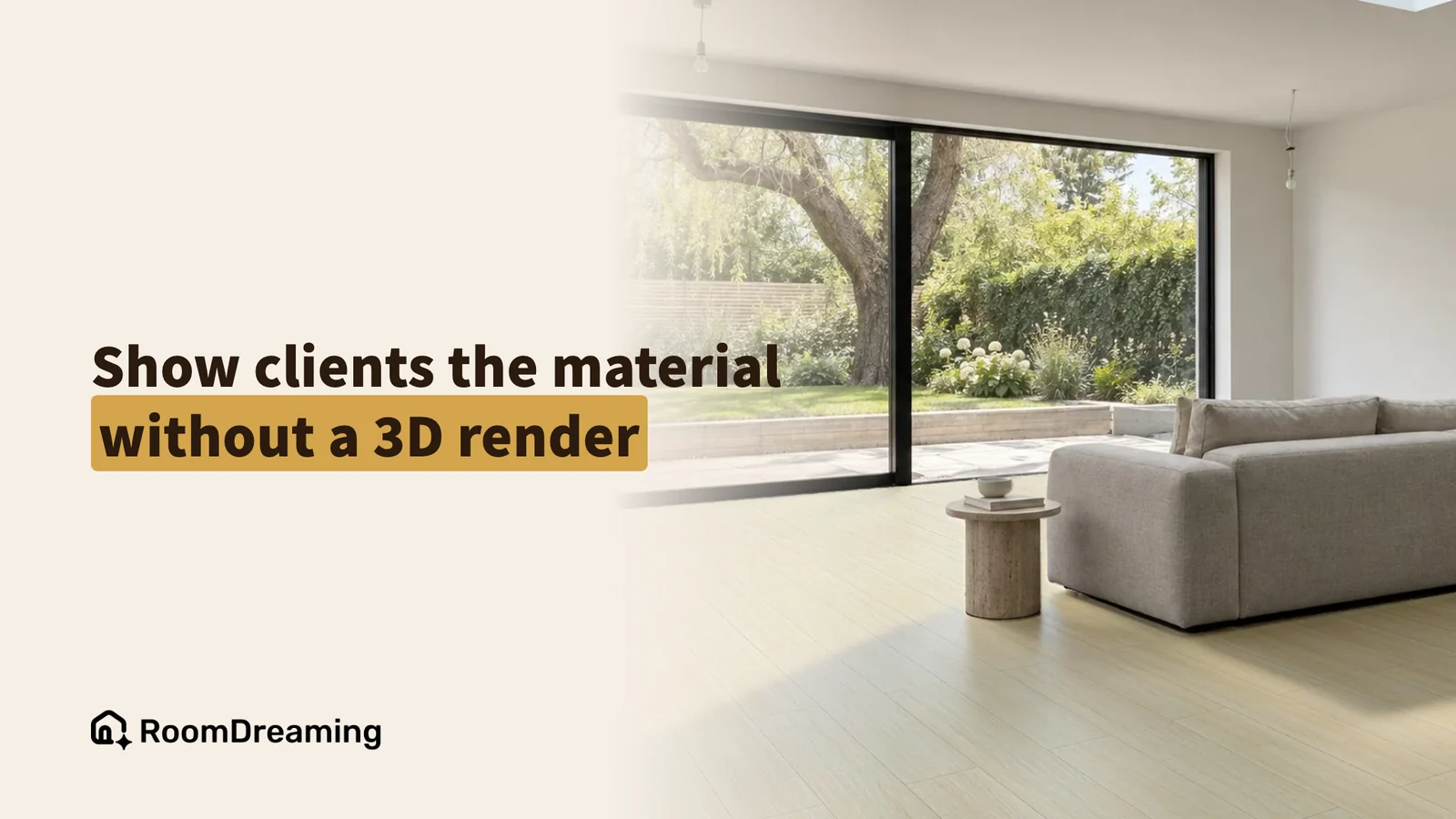
What takes the most time in a design proposal often isn't the concept — it's showing the client "this tile, this floor, this paint" in their own space. Many building-material brands now offer free AI material visualizers: upload a site photo or your render, swap in the real catalog product in minutes, and change it ten times without redrawing anything.
Clients can't read floor plans, so designers have to show pictures. Pictures aren't cheap. In Taiwan, for example, the contractor marketplace PRO360 lists a single interior 3D render at roughly NT$3,000–10,000, with revisions charged separately (PRO360 price guide).
What's more draining is the back-and-forth before the contract. The client wants to compare this tile with that one, a lighter floor with a darker one, a matte feature wall with a hint of pearl. Every change means another composite, another trip for samples.
How is a brand's AI visualizer different from general AI design tools?
General AI design and proposal tools are great at style exploration, turning a plan into 3D, or changing a room's whole mood in one click. The materials in those images are usually generic textures built into the tool, or something the AI painted.
A brand's AI material visualizer solves a different problem: putting the exact product from the catalog into the client's space. Tile is laid at its real size, with adjustable grout width and color; paint is shown in its calibrated color. What the client sees is what they will actually buy.
| Your own 3D render | A brand's AI visualizer | |
|---|---|---|
| Cost | Often thousands per image | Provided by the brand, free for designers |
| Time | Usually days | Minutes |
| Where materials come from | Textures you find and build yourself | The real product in the brand's catalog |
| Best for | Final design, pre-construction sign-off | Choosing tile, color and comparing products |
It isn't either-or: narrow the materials down to one or two with the visualizer, and you only need to make the formal render once.
How do you use it? From site photo to proposal in 4 steps
- Upload a photo or render: take a phone photo when you measure the site, or use a render you've already made. The system finds the walls and floor automatically.
- Pick the brand's products: choose the ones you want to propose from the catalog and apply them with one click.
- Compare side by side: three tiles on the same wall; switch tile patterns and grout color; compare light and dark floors.
- Save or send: drop the images into your deck, or send them straight to the client and their family.
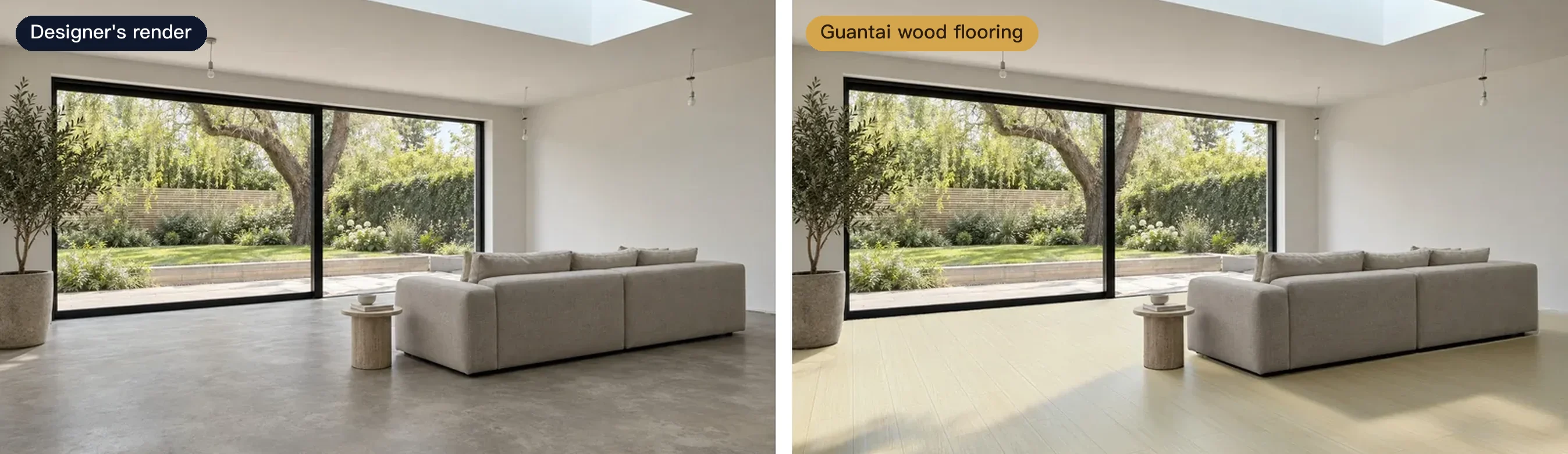
This is a designer's render. The original concrete floor on the left is replaced on the right with a wood floor from the catalog of Crown Tai, a Taiwanese flooring brand, and the light still follows the original skylight and glass doors.
Which materials benefit most from an AI preview?
- Large-area floor and wall tile: the bigger the area, the harder it is for clients to imagine it from one small sample. For how tile visualization handles size, grout and patterns, see tile visualization explained.
- Wood floor tones: the same color looks very different under different light. Compare light, mid and dark on the site photo before checking samples.
- Decorative paint texture: matte, pearl and metallic are hard to imagine from a color card. Filter out what doesn't fit on a photo, then only make sample boards for two or three.

Three tiles on the same wall, side by side — the client can rank them at a glance.
A residential designer we work with told us she now swaps two or three floor tiles onto the site photo the same day she measures, and sends them to the client. Once the client replies with a preference, she starts the formal render. That conversation used to wait until the render was done.
Can clients try it themselves?
Yes, and it's often the easiest route. Brand visualizers need no download and no sign-up. Send the link, and the client can upload a photo of their home on their phone, take their time comparing, and bring family into the decision.
At the next meeting, they arrive with preferences instead of starting from zero. You don't have to sit with them through every option, and you can spend your time on what needs a professional: detailing, color coordination and lighting.
One caveat: whatever combination the client lands on still needs a designer's check. Whether the tile size suits the space, whether it's slip-resistant enough, whether site conditions allow it — a picture can't answer those. Final decisions and construction still go by construction drawings and physical samples.
Where do you find brands that offer this?
- Brand websites: look for entry points like "visualizer," "try it in your room" or "room preview."
- Brand sales reps: ask whether they have a dedicated link for designers, and save it for your next proposal.
- Showrooms and catalogs: more and more brands print a QR code next to samples or in catalogs — scan it and start.
In Taiwan, decorative paint brands such as LUXUS PAINT, San Marco, Atarashi and KEIM already have one on their websites, and flooring brand Crown Tai has its own visualizer page.
FAQ
Do designers pay to use a building-material brand's AI visualizer?
No. The brand provides it. Open it from the brand's website, a link from a sales rep or a QR code in the showroom — no download and no sign-up.
Can I use a render I've already made?
Yes. Besides site photos of the client's home, you can upload your own renders and swap the floor or walls for products from the brand's catalog.
Can an AI visualizer replace 3D renders or construction drawings?
No. It helps you decide quickly which product to use in the early proposal stage. Final renders, construction drawings and the last check against physical samples are still needed.
Next proposal, try it on the site photo first
To see which materials a brand visualizer can switch in, read the AI material visualizer overview, or try the flooring visualizer.
Try it on a photo of your own room
Upload a photo and swap in real products to see them in your space. No download, no sign-up.