
Expired Photos, Wrong Color Codes: The Hidden Cost of Running Job Sites in LINE Groups
By Curtis (RoomDreaming Editor)
LINE group chats are great for talking with clients, designers and installers, but bad at keeping job-site records: photos expire, projects get lost in the scroll, and color codes get written down wrong. The better split: photos, color codes and progress go into the project first, then you send what's needed to LINE.
Some context for readers outside Asia: LINE is the main messaging app in Taiwan — think WhatsApp — and it's where most businesses talk to their customers. For building-material dealers, almost every project gets its own LINE group. Open a job, start a group, drop photos in, answer the client's progress questions on the spot. It's free and convenient.
Those strengths are real. This isn't about giving up LINE. It's about one distinction: LINE is for talking, not for storing.
Why can't you find job-site photos in a LINE group six months later?
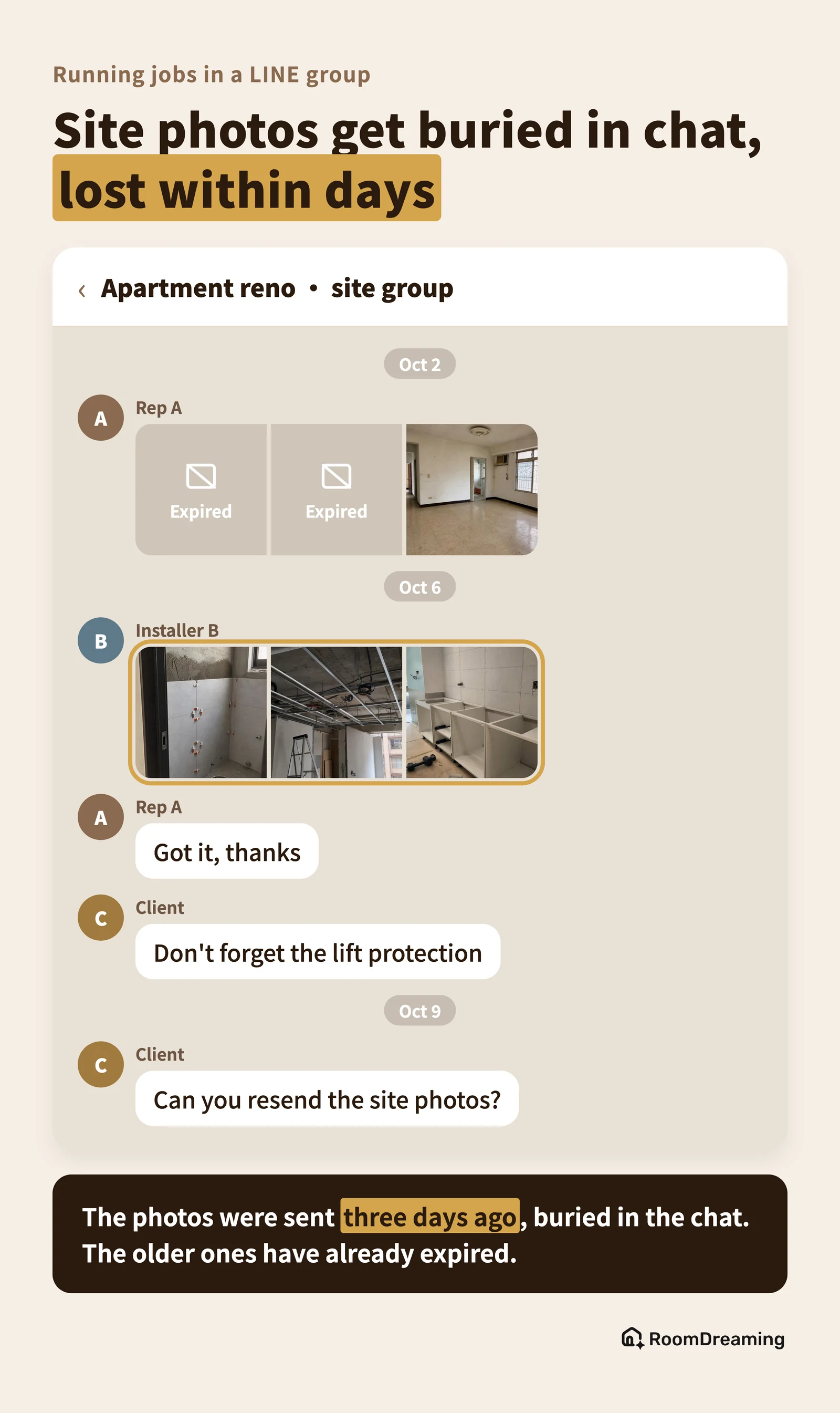
First, photos expire. Photos and files in chats have a storage period; after it passes, they can't be opened or downloaded. Search for "LINE photos expired" and you'll find page after page of people asking for help.
Second, the rules change. LINE has adjusted its Notes feature in recent years — for example, Notes in regular chats no longer accept video uploads (INSIDE, in Chinese). When your records live on someone else's platform, someone else decides how long they last.
Third, even when they're there, you can't find them. A project's photos sit among hundreds of "got it," "thanks" and "what time tomorrow?" messages. One client may have two or three groups. Installers' photos never get uploaded at all. Finding a before photo from six months ago means scrolling, and scrolling.
What does a wrong color code cost?
This pain is specific to building materials. Ordinary construction just needs the photo. Paint, tile and wood flooring jobs also need to record "which product and which color code went on this wall."
On site you're holding a color card; on the drive back you realize you didn't write it down, so you fill it in from memory or call the designer. Even when it's recorded, it's often incomplete: a code without the product name, similar-looking numbers across collections, autocorrect changing a code.
A wrong code costs more than an apology: a wall painted in the wrong color gets redone, a wrong batch of tile gets returned, and the client's trust drops.
A decorative paint dealer's rep we work with told us he used to visit three or four sites a day and typed color codes into his phone notes back in the car. Once he swapped the codes for two projects, and the painter had finished half a wall before anyone noticed.
When a rep leaves or something goes wrong, where are the records?
When job sites run in LINE groups, records follow people: photos are on a rep's phone or in an installer's camera roll. When someone leaves or changes phones, the record breaks.
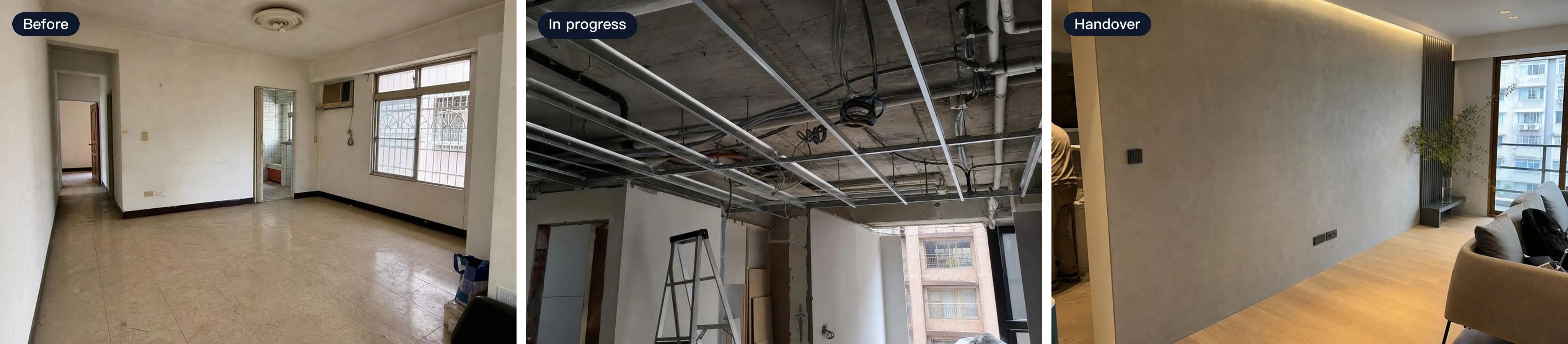
Yet when something goes wrong, those photos are exactly what you need. A wall that was already cracked, a floor that was already uneven — a before photo settles it. Anything sealed during construction can never be photographed again after handover.
A few simple photo rules:
- Wide shot first, then close-up: the wide shot shows which wall; the close-up shows the issue.
- Same spot, before and after: the most direct comparison later.
- File it to the project right away: don't wait until you're back at the office — by then you've forgotten which photo belongs to which job.
Self-check: would your job-site records hold up?
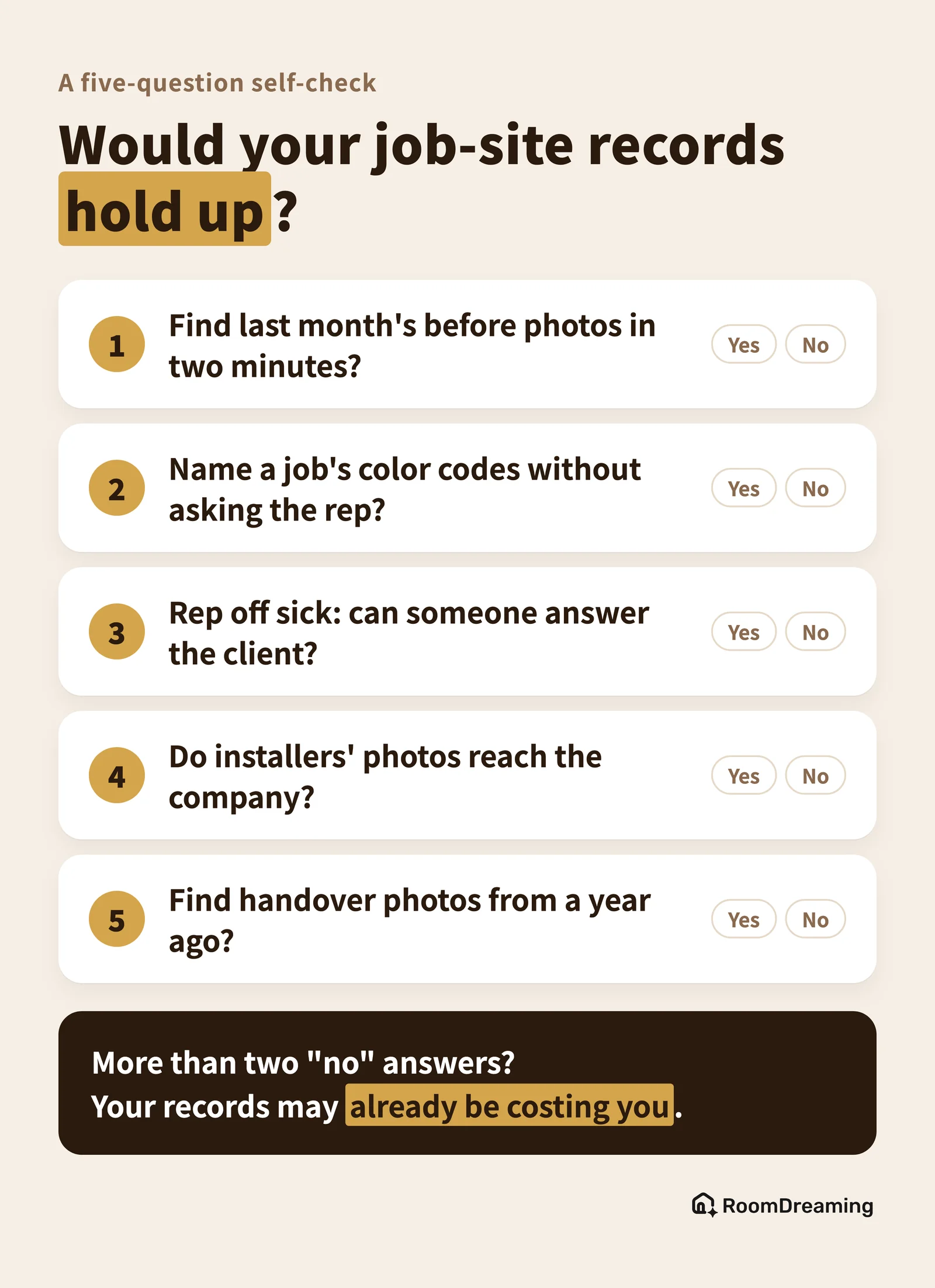
If you answer "no" or "not sure" to more than two of these five, your records may already be costing you.
- Can you find last month's before photos for a given job within two minutes?
- Can you say which products and color codes a job used without asking the rep in charge?
- On the day a rep is off, can someone else answer a client's progress question?
- Do all the photos installers take actually make it back to the company?
- If a client calls about a warranty on a job closed a year ago, can you find the handover photos?
You can also save this card and drop it in your team's group chat so everyone answers it:
Can you keep good records without leaving LINE?
Yes — the key is the split: records live in the project, conversation stays in LINE. RoomDreaming's job-site records app is built around exactly that:
- Photos filed to the project as you shoot: open the camera from the project and the photo is saved there. Pick the stage once (before, in progress, handover) and every photo after is sorted automatically, with the time and the photographer recorded.
- Color codes tagged on the photo: search the brand's catalog and attach the code — no typing — and the project collects every code used.
- Sharing still happens in LINE: pick photos and send the client a progress card on LINE. The client taps the link to see the photos — no app, no login.
- Installers can upload too: drop an upload link in the group and installers sign in with LINE to send photos. Installers and crews are free and unlimited.
| LINE group only | Project records + LINE | |
|---|---|---|
| Photo storage | Expires | Kept in the project, follows the job |
| Finding photos | Scroll and remember | By project, date and stage |
| Color codes | Typed by hand | Picked from the catalog, collected automatically |
| When a rep leaves | Records leave with them | Records stay with the company |
FAQ
Do photos in LINE group chats expire?
Yes. Photos and files in chats have a storage period, and once it passes they can't be opened. LINE hasn't published the exact number of days. Don't keep important job-site photos only in the chat.
Which stages of a job should be photographed?
At least three: the existing condition before work, work in progress, and the finished handover — especially anything that will be covered up later. Each photo should keep the time it was taken and who took it.
If I use a job-site records tool, do I still need LINE?
Yes. LINE is for conversation; the project is for records. File photos to the project first, then send the ones you need to the client, designer or installer on LINE.
Make every job's photos and color codes easy to find
See how the job-site records app works and what the plans include on the job-site records app page (in Chinese), and find other tools for dealers on for brand distributors.
Try it on a photo of your own room
Upload a photo and swap in real products to see them in your space. No download, no sign-up.
Further reading
- Interior Design Proposals Taking Too Long? How Designers Use Brands' AI Material Visualizers to Save Render and Selection Time
- Why You Can't Choose Decorative Paint From a Color Card: Sample Boards vs AI Paint Visualizer
- Room Color Combinations: How to Match Walls and Floors (and Let AI Pair Them for You)